If you would like to move a user who has an existing outbound setup you must first disable their setup before you move them.
Click on the users outbound link ' ' and 'uncheck' the 'enable?' boxes for all setups

So it looks like this

Next click 'save'.
Now go back to 'Org Levels' and update the access check boxes for the user
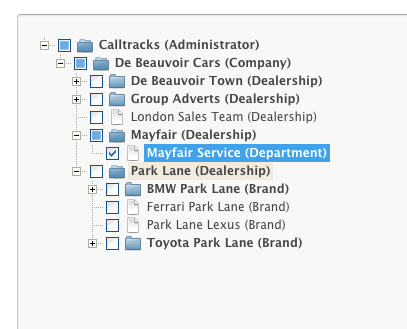
Next go back to the outbound '' setting for the user and 're check' the 'enable' box on the outbound setup you want them to use. You will see randomly generated appear in the pin box.

Click on 'save' and you will see the pin number show in green at the top of the users page.

Comments